
 缴费 | Payment
缴费方式 Payment Methods
支付宝扫码缴费(推荐):打开支付宝,扫描下方二维码后输入学号和姓名,根据提示进行操作。
Paying via Alipay QR Code(Recommended): Open Alipay, scan the QR code below, then enter your student ID and name, and follow the instructions for further steps.

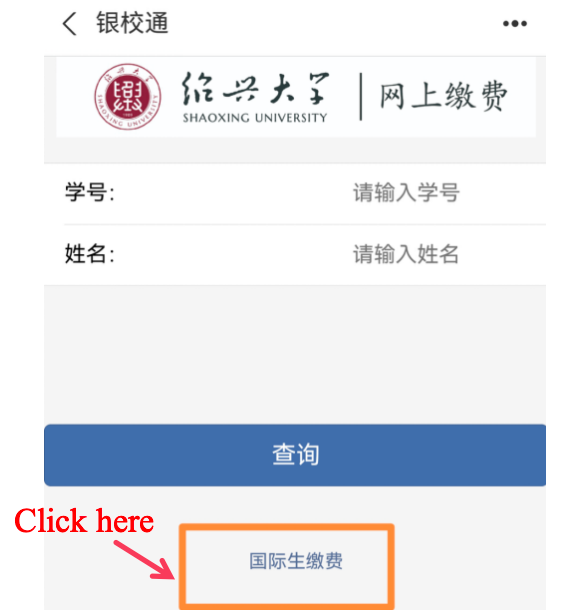
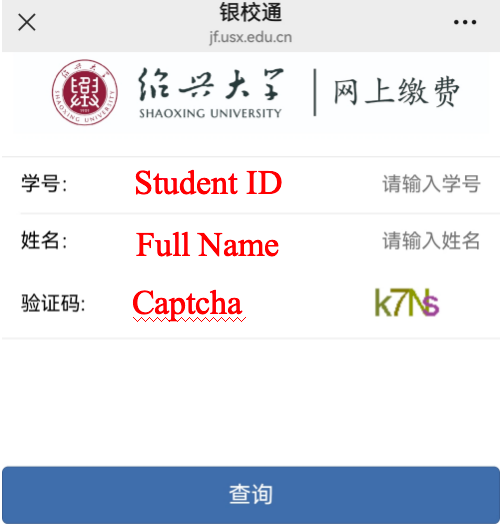
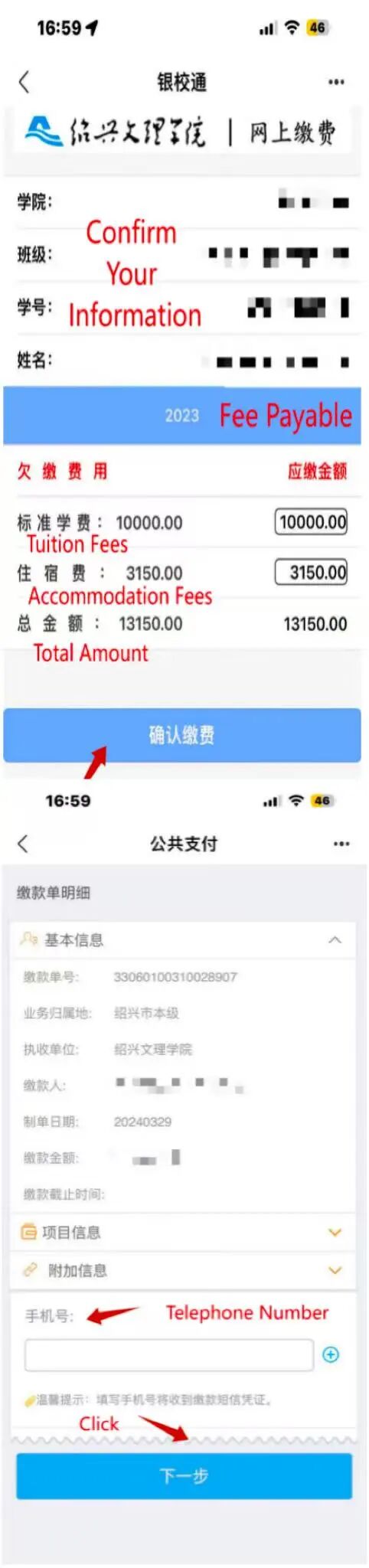
全额缴费步骤:扫码后点击国际生缴费→输入学号、姓名、验证码→核对应缴金额→确认缴费→输入手机号→完成缴费(注意:姓名全部大写)
Full Payment Steps: Scan the QR code for international student payment, enter student ID、name and captcha -> Verify the payment amount -> Confirm the payment -> Enter mobile phone number -> Complete the payment.(Note: All letters in the name should be capitalized)
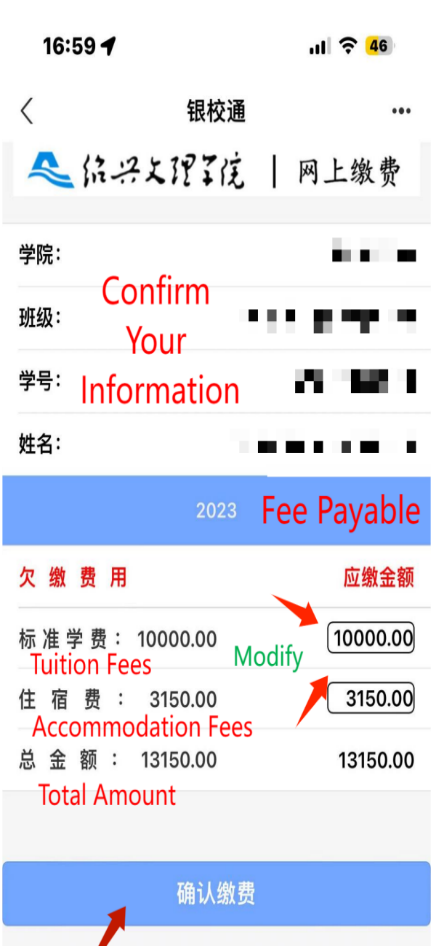
差额缴费步骤:扫码后点击国际生缴费→输入学号、姓名、验证码→直接点击各框内金额,修改缴费金额→确认缴费→输入手机号→完成缴费(注意:姓名全部大写)
Partial Payment Steps: Scan the QR code for international student payment, enter student ID、name and captcha -> Click on the respective boxes to modify the payment amount -> Confirm the payment -> Enter mobile phone number -> Complete the payment.(Note: All letters in the name should be capitalized)
缴费成功后财政平台会自动向缴费人发送短信(仅中国境内手机号可以收到短信,请务必填写中国境内手机号),点击短信链接即可获取财政电子票据(请务必妥善保留短信或保存电子发票图片)。
After successful payment, the financial platform will automatically send a text message to the payer(only Chinese mobile numbers can receive text messages, please make sure to provide a Chinese mobile number). Click on the message link to obtain the electronic payment receipt (please be sure to keep the message or save the electronic invoice image properly).

